Manual contents
Version Update Log and New Feature Launch Instructions
On this page
2026.9.29 Version Rollout (V1.5.38)
【Release Notes】 🌟 Highlights This release brings the all-new Hi-Res Upsampling Engine (real-time upsampling for regular PCM: "direct DSD conversion" or "up to 8× PCM") . We also improved direct playback from search results, with major optimizations for device performance and playback stability.
I. New Features
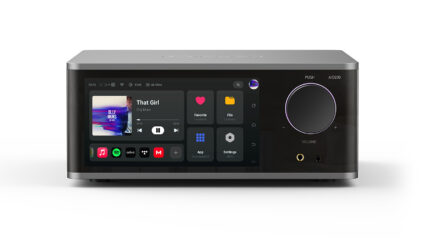
・Hi-Res Upsampling Engine: Audio Settings provides Original Pass-through, PCM high-precision upsampling at 2× / 4× / 8× (up to 384 kHz), and DSD real-time remodulation to DSD128, subject to the source and output device. Available filter algorithms are Kaiser and Blackman–Nuttall. The playback page and VU meter show the active mode or ratio.
・Official HQPlayer Certification: The device has completed official functional certification and supports HQPlayer network playback.
・Expanded format & sound quality support: Added DTS-CD track recognition and pass-through playback (works for real-time optical drive playback and ripped files). Added support for WMA / WMA Pro / WMA Lossless. MQA unfolding supports authenticated playback starting mid-stream.
・Fiber output with DTS bitstream pass-through: DTS source can be sent via optical port as raw bitstream to external amplifier or decoder, preserving full native multi-channel audio.
・Cloud Drive enhancements: K-Link cloud drive now supports external lyric display (auto load matching .lrc file in the same folder as audio, synced with playback) and cloud ISO track playback (ISO image can be parsed into multi-track playlist without full download & extraction). Added cloud folder download and cloud music search. Fixed list jumping back to top after navigating up directory for smoother file browsing.
・Wireless & Personalization: New retro clock screensaver. AirPlay 2 casting with improved sync accuracy plus device-side reverse control. Multi-room playback syncs album art from master device with better sync; supports per-group individual volume adjustment, member removal and group exit.
- Spotify direct search & play: Click Spotify songs in search box to jump to Spotify app for playback (Spotify app login required).
II. System & Playback Experience Optimizations
・Smoother playback: DSD and high-res audio playback improved. Track switching and format switching faster & more stable, long-duration playback more robust. High-bitrate DSD and network tracks start faster with lower memory footprint.
・Streaming optimization: Improved Apple Music start playback, track switch and state sync reliability. Playback page displays sound quality profile, sample rate, bit depth and channels reflecting real playback state. Lossless / Master / Ultra Master tags completed for NetEase Cloud Music and Apple Music.
・Lyric improvements: Lyrics remain displayed during track switch and loading. Word-by-word lyrics support line wrapping with persistent highlight tracking, reducing lyric freeze and rollback.
・Faster boot: New boot startup manager to reduce concurrent launch & background wakeup of third-party apps. Improved boot speed and system stability. ・Better search & playlist: Search page can play local, NetEase Cloud Music and Apple Music tracks without interrupting current queue. Song menu added "Play Next" and "Add to Current Queue". Playback page shows streaming quality profile with one-tap switching while preserving playback position.
・Clearer playback error alerts: Categorized notifications for decode failure, missing file, insufficient permission, unavailable network mount. Options: "Stop / Next Track". Auto skip to next if no user input.
・Independent volume, gain and mute memory for all outputs (USB DAC / XLR / RCA / Headphone Amp / Optical / HDMI). Auto restore after hotplug or port switch. Improved compatibility with high-bitrate USB DAC and DSD devices. Fixed residual volume, no audio and HDMI sample rate compatibility issues. Resume playback on boot is more reliable.
・Optimized network storage (NFS / SMB / WebDAV) discovery, login and access compatibility. Better recovery after LAN / network playback interruption.
・QPlay / DLNA / AirPlay can run background scanning simultaneously. Enhanced wireless casting & mirror control stability. Reduced persistent background services and scheduled wakeups to cut idle resource usage and standby power consumption.
2026.8.14 Update(V1.3.55/68)
🌟 Quick Highlights
This update features a brand-new audio architecture and high-definition spectrum/VU meter acquisition system, drastically boosting playback stability and wake-up response speed. It also rolls out major new functions including the MultiRoom multi-room system, intelligent room acoustic calibration, multi-source mixed playback, and lossless pass-through for high-definition Dolby/DTS audio. In addition, the mobile app has undergone a complete UI overhaul to deliver a smoother, more intuitive control experience.
I. Underlying Architecture & Performance Improvements
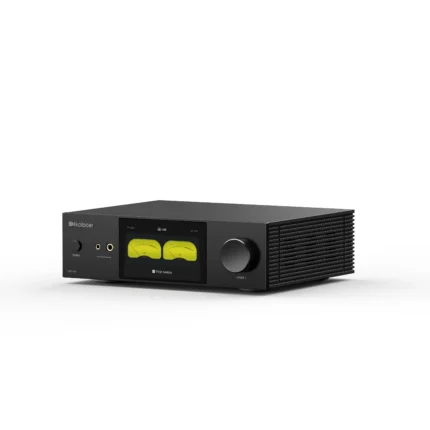
- Spectrum & VU Meter System: Fully rebuilt acquisition algorithms for spectrum and VU meters deliver more precise, fluid meter responses while significantly cutting system power consumption.
- Overhauled Sleep & Wake-up Mechanism: Deeply optimized sleep and wake-up logic slashes waiting time for faster power-on and wake-up performance.
II. Brand-New Features & Capabilities
- Cross-Platform Mixed Playback: Supports seamless continuous mixed playback across multiple music sources including Apple Music, Local Music, Webdav Music.
- Unified Favorites Across All Sources: Aggregates and displays favorite song playlists from all cross-platform streaming services in one place.
- Multi-room System: New capabilities include automatic room detection, grouped volume adjustment, and synchronized multi-room playback control.
- Intelligent Room Acoustic Calibration: New acoustic correction function that automatically optimizes room acoustic response via three-point measurements taken on your mobile phone.
- High-Definition Dolby & DTS Audio Passthrough: Native lossless audio output via HDMI for Dolby formats (AC3 / E-AC3 / Atmos) and DTS (IEC61937).
- Expanded Streaming Service Compatibility: Integrated third-party music platforms including Amazon Music, Deezer, Yandex, and SoundCloud.
- CD Album Metadata Editor: Auto-match album info from multiple online sources and support online editing of CD album metadata.
- Auto Standby with Delay Timer: New scheduled standby and idle-triggered auto standby modes.
III. Enhanced Mobile App Experience (Requires Kaiboer Home V1.2.0 or later)
- Visual & UI Architecture Redesign: Standardized interfaces for music library overview, favorites page, and remote text input, resulting in a cleaner, more elegant visual layout.
IV. System Optimization & Stability Enhancements
Playback & Audio Experience
- Faster synchronization of metadata and album artwork from third-party music apps.
- New playback state management engine resolves state conflicts when switching audio sources, and improves auto-resume playback after audio focus loss.
- Faster drag control and command response for DLNA / QPlay; expanded compatibility for non-standard lyric formats.
Audio Output & Sound Effects
- Higher accuracy for Dolby audio passthrough and HDMI audio format detection over NFS network shares.
- Fixed and refined fluid animation transitions for spectrum/VU meters, plus improved level synchronization between left and right channels.
Network & System Services
- Markedly smoother and more stable screen casting performance.
- Optimized stability of Keep-Alive persistent network connections and synchronization precision for multi-room playback.
- Fixed logic errors when toggling favorite status for local audio files; refined remote text input and UI interaction details.
2026.7.14 Update(V1.3.27)
This update highlights the integration of AirPlay 2 wireless casting and intelligent CD album information recognition, alongside major improvements to playback stability and cast-control responsiveness. Please update your Kaiboer Home app to version 1.1.1.
[New Features]
- AirPlay 2 Wireless Casting (Beta): Upgraded to the second-generation protocol, supporting multi-device synchronized casting and playback.
- Intelligent CD Album Recognition: Optimized automatic online scraping for album titles, tracks, and HD covers upon inserting a CD, offering faster and more accurate recognition.
- Cast Control Optimization: Significantly reduced screen latency when controlling the device via mobile. Connections are more stable, and a real-time playback smoothness indicator has been added.
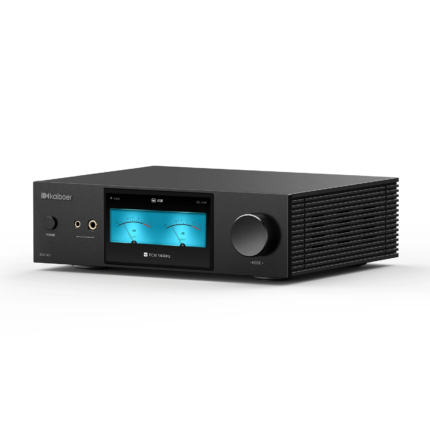
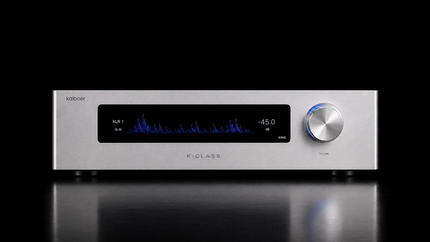
- Three New VU Meters: Added three distinct styles of dynamic needle-based VU meters to the playback interface.
- Cloud Storage & Globalization: Added support for international cloud drives like Dropbox; added 18+ international time zone options.
- File Format Categorization: The File Manager now supports filtering songs by audio format (FLAC, DSD, SACD, etc.).
- Linked Control: Apple Music and NetEase Cloud Music streaming apps now support cross-platform favoriting and playlist song selection on both the device and mobile player pages.
[Optimizations & Fixes]
- Local Playback: Further improved music scanning speed. Lists now auto-refresh after external storage is plugged in or removed. Optimized CUE track splitting and fixed an issue where the remote control failed to skip tracks.
- Streaming Stability: Enhanced track-skipping responsiveness and stability for Apple Music and NetEase Cloud Music. Fixed occasional issues where NetEase Cloud Music failed to auto-skip tracks and QPlay became unresponsive when paused.
- MQA Optimization: Optimized the player's recognition and display of MQA files to ensure Bit-Perfect output.
- Audio Output: Improved USB DAC compatibility. Fixed occasional minor noise during DSD playback and corrected audio quality indicator errors.
- Interactive Control: Fixed an issue where certain audio formats and sampling rates failed to display on the control screen. Fixed iPad landscape lock and keyboard pop-up scaling issues during screen mirroring.
- External Storage: Boosted the mounting and display speed of USB storage devices.